I Love a Good List!
I love reading and exploring a good list almost as much as I enjoy making a list and one of my favorite annual lists has just been released: Best Free Reference Web Sites 2009
I have just spent a very fun hour or so perusing the picks for this year and am pleased to see some of my standard favorites listed and also to discover a few new good finds for future use.
Some new discoveries I am sure to find use for are Business & Human Rights Resource Centre as well as Local Harvest and LocalHikes.
Some of my favorites that I am happy to see included this year are ePodunk and Purdue Online Writing Lab (OWL).
This annual list has been published for 11 years by the Machine-Assisted Reference Section (MARS) of the Reference and User Services Association (RUSA) of the American Library Association — say that five times fast! Visit this link to access the combined index of the selections from the last five years of this valuable project.
submitted by: Janie L. Hermann
At what point do we stop investing in a format?
By Tyler Rousseau
 My wife and I just bought an HDTV as a spoil-ourselves gift for our five year anniversary. Of course, being a type-A compulsive who needs to take things about one step further than necessary, I started looking for ways to extend our viewing pleasures.
While a Blu-ray player would seem to be the next logical step for most, I was a little wary.
I decided to head to the local electronics store and ask their opinions on the matter.
The employee recommended I buy the PS3, which comes with a Blu-ray. When I asked for any other suggestions, he was ‘hesitant.” While he clarified that there was nothing wrong with Blue-ray players (quality of video and sound was definitely superior to other options) he wasn’t positive that this format was the way to go when upgrading your media.
It was an interesting lecture (I hesitate to call it a conversation). Since his answer took well over 10 minutes, I am just going to try to highlight his argument in bullet points.
- If Blu-ray were to take off it probably would have done so by now. It took audio CDs less than ten years to overtake audio cassettes. One of Samsung’s Executives made a statement that he thinks Blu-ray will be gone in another five years. Not a very optimistic outlook.
- Netflix has taken off in a seriously big way and that is not really a good thing for DVDs or Blu-rays. It means people may be watching Blue-rays but they are actually buying less. In fact current economic conditions have led more people to renting nowadays.
- On the topic of increasing rentals, Redbox isn’t helping the situation.
- Blu-ray is already in a new format war…
- Downloadable movies are looking more and more like the next big format. Whether through your cable provider or the Internet, the instant gratification of streaming movies, in HD no less, is a tough thing to compete against for the casual viewer.
- While not quite ready, many TV manufacturers are looking to include wi-fi connections to their products.
- There was one other point; something about not having to buy things, possessions being fleeting and sticking it to the man or whatever, but I’ll just skip over that one.
While this did nothing in terms of getting a sale from me it was definitely food for thought.
The lecture got me thinking about the difficulties of introducing new medias into a library collection. It then got me thinking about old collections; more specifically, when to stop funding the collection.
Obviously, changes in formats are nothing new. Even in the relatively short time I have been in the profession, I’ve seen libraries stop buying audio-cassettes, CD-Roms and videotapes. More so, I’ve seen them stop purchasing the paper copies of publications in order to invest in the cheaper online versions.
And while I definitely applaud libraries who have decided to invest in Blu-rays I do wonder about how long this media has. While 5 years seems a little short to me, I would not be surprised to see it obsolete within 10.
By all means, let me hear it; at what point do we back out from a format?
By Tyler Rousseau
Access denied
by April Bunn
Most of us have no control over it.
It gets people really upset when they run up against it.
The Internet Filter
 Hopefully you aren’t trying to read this at a school computer because you’d probably have your “access denied” with most of my links below.
As a School Library Media Specialist, I am all too familiar with a great teaching moment being ruined by a blocked website. Linda Underwood’s School Library Monthly article “21st-Century Learning Blocked: What is a School Librarian to Do?” (September’s issue-not available online yet) inspired me to think more about this topic. This past week one of my colleagues was blocked from using National Geographic and another was blocked from downloading her Promethean Board software, so I knew it was time to get this done. The technology teacher and I just convinced many of these teachers to branch out and use new technology and this filter is discouraging them rapidly. Just to give you an idea of what it’s like with these filters:
- We can’t use any image or video sites at all (so long to those Google Images on our web pages and for student projects and no-can-do on that great video you found on Abraham Lincoln on YouTube).
- Also, no access to sites that have a shopping cart feature, like Barnes and Noble, making it a serious challenge to place orders when we are registering for conferences, ordering books and supplies.
- No technical or business forums (see below)
Ironically, as I try to finalize this post, sitting at my desk after school dismisses, I am blocked from previewing the post on WordPress with the response screen below:
_______________________________________________________

| You cannot access the following Web address: | |
| https://librarygarden.net/?p=2399&preview=true | |
 |
|
| The site you requested is blocked under the following categories: Technical/Business Forums | |
|
|
| You can: | |
 |
Temporarily override filtering on this computer if you have an override name and password. (Note that your administrator may be notified that you’ve bypassed filtering.) |
|
Use your browser’s Back button or enter a different Web address to continue. |
__________________________________________________________
Surveying other Libraries
After suffering from blocks preventing her from using pieces of Web 2.0 in her teaching, National Board Certified Teacher and Instructional Technology Integrator Sharon Elin used her blog at edutwist.com, to conduct a survey about which popular sites were blocked and find out what other schools were allowing. Her results, displayed in colorful graphs, represent the more controversial of sites, but even simple sites that include questionable images are blocked from most students.
As Media Specialists, we are responsible, along with our Technology colleagues, for teaching about safe internet searching and strategies for effective information retrieval. As one of Elin’s responders wrote, “Teaching students about internet safety in a highly filtered environment is like teaching kids to swim in a pool without water.”
So why do we have to have them?
In 2000, Congress enacted the Children’s Internet Protection Act (CIPA). As a result of that Act, many schools and libraries got grants for technology or joined the E-Rate program, a discounted pricing system set up by the FCC for telecommunication services, Internet access, and internal connections. One requirement of these programs was to certify that you are using computer filtering software programs to prevent the “on-screen depiction of obscenity, child pornography or material that is harmful to minors”. Nobody is really arguing that schools against schools being a safe place, away from highly offensive material. As librarians, our collection development is monitored by administration and the purchasing has to be supported with some curricular connection. What we as educators are saying is that the filters that are in place in schools are blocking educational information that could be inspiring to a child. Parents must understand that their children are losing out on dynamic learning communities created by Web 2.0 developments.
We’re being forced to bypass the filter
In most cases, educators are waiting for technical administrators to release the block after explaining how they are going to be using it in they teaching. By the way, these tech administrators are NOT teachers or librarians; they are IT people and network security experts that are now responsible for evaluating things like 5th grade students’ research on endangered species. Are we even speaking the same language? I don’t think so. In my school, those requests are only read once a week.
As a result, we’ve (older students and teachers) resorted to bypassing and unblocking the filter on our own. My Google search returned over 1 million hits when using the search terms “how to bypass school internet filters” and the responses included videos and instructions galore. A large portion of these requests could be from students as well.
A few examples are:
 eHow (www.ehow.com)
is just one of the many sites giving step by step directions how to bypass the filter. They call it a “circumvention” of the block and don’t make any attempt to discuss the issue: “Whether or not these blocks are justified or a waste of time, whether they are a form of censorship or a method of managing resources, are topics that can be debated another time.” They give 3 sets of directions depending on what you’d like to use: a translation service, URL redirection service, or web proxy.
 Quick Online Tips (www.quickonlinetips.com) has a page called “Top 10 Ways to Unblock Websites”
We know about it but won’t widely risk it
Most of the school librarians that I spoke to knew that these methods existed, but many had only used it once or twice, or were scared to be caught. The law specifically states, “An administrator, supervisor, or person authorized by the responsible authority [i.e. school, school board, local educational agency, or other authority with responsibility for administration of such school] may disable the technology protection measure concerned to enable access for bona fide research or other lawful purposes.”
Can’t we just block the students’ computers?
No. The FCC’s E-Rate program is specific that every computer have the filter engaged, “The FCC is imposing the requirements on ALL Internet-accessible computers used by the schools and libraries, including public, student, staff and administrative workstations on the Internet because the law made no distinction between school and library computers that are used only by adult staff, and those used by children or the public.” If we’re hoping schools will allow us to have more access than our students, it looks like we’ll be waiting awhile. If you refer to Elin’s survey, the communication service Skype is almost the only site that was allowed on more teacher computers than student ones. That wasn’t true in my school this month when a teacher was blocked from Skype or Google Video Chat to demonstrate communication across the world with her son who is teaching English in Korea.

Skype Chart
What can we hope for in the future?
I’m trying to be optimistic in how I think filters will be used in schools of the future. Otherwise I’d feel like my degree in Library and Information Science may not be best suited for a school library career. My dreams are for:
- Trust from our Administration that we are professionals and will use the internet wisely in our teaching
- Filtering programs that are created by educators and parents
- Websites designing “school-safe” versions for filter approval
- Open access to dynamic information online without lurking viruses and predators
- Faith from the parents whose children we inspire on a daily basis that we are working to create better global citizens
by April Bunn, School Library Media Specialist in a PreK-6th Grade School
How to Reach Gen M(illennials) in the Library and Classroom–A Panel Discussion
 Co-editors (Vibiana Bowman Cvetkovic & Robert J. Lackie) of the book Teaching Generation M: A Handbook for Librarians and Educators (Neal-Schuman Publishers, Inc., 2009) and three of the chapter authors (Katie Elson Anderson, Patricia H. Dawson, and Diane K. Campbell) participated in a panel discussion last night. The event, sponsored by the Rutgers University–Camden’s Cappuccino Academy (a series of free public lectures delivered by Rutgers–Camden faculty members) was held at the Barnes & Noble in Marlton, NJ. All five panelists–library faculty members at Rutgers University and Rider University–briefly discussed their findings on this new generational cohort and how technology can and has been enriching the library and classroom experience for them.
 Lead editor and chapter author Vibiana Bowman Cvetkovic (Rutgers University) began the discussion by welcoming the audience, introducing the panelists, and talking about why she was so interested in co-editing and writing sections of the book, not to mention having her own personal cohort of Gen M students at home. Vibiana also provided some background on the book, which offers advice on everything from teachers joining Facebook to the pitfalls of Google searches. She mentioned that one of the most significant aspects about Gen M is that they are the first generation raised in an era of personal and real-time information sharing and provided some examples. Last but not least, she made available a discount order form for those who might be interested in purchasing a personal copy, or one for their library or school.

Co-editor and chapter author Robert J. Lackie (Rider University) spoke next, emphasizing that we need to remember, as library faculty members, to strive to satisfy all of our “customers,” and that includes Gen M students, faculty, and staff–those born in the early 1980’s to the mid-to-late 1990’s. He shared research from the book and on the Web about Millennials (aka Gen M), including a few points via presentations by Richard Sweeney, University Librarian at NJIT, to help us all better understand this unique cohort. Richard has stated that Gen M:
- Expect/demand more choices
- Want more personalization/customization
- Want instant gratification
- Like multitasking, IMing, text messaging, and collaborating online
- Are experiential learners
- Are open to change
Note: Library Garden bloggers interviewed Richard Sweeney, who is a recognized expert on understanding and engaging the Millennial Generation, almost three years ago and this post is still available.
Robert finished by sharing some of the witty “cultural touchstones that shape the lives of students entering college” found again in this year’s Beloit College Mindset List for the Class of 2013, such as, “Text has always been hyper” and “Everyone has always known what the evening news was before the Evening News came on,” two of the 75 comments on this year’s list.
Patricia H. Dawson and Diane K. Campbell (Rider University), who co-authored Chapter 2 in the book, entitled, “Driving Fast to Nowhere on the Information Highway: A Look at Shifting Paradigms of Literacy in the Twenty-First Century,” spoke about emergent issues and challenges we face as librarians and educators while working with Gen M. They provided information comparing different types of literacy (i.e., literacy, computer literacy, and information literacy) and provided a handout/table to the audience members explaining this. They discussed how Gen M struggles with judging information for reliability, validity, accuracy, authority, timeliness, and point of view or bias because so much of the information that Gen M students find online, especially the validity of that information, is much more difficult to assess than within most print sources. They noted that there, unfortunately, are fewer “quality cues” with a lot of online information on the free Web.
Katie Elson Anderson (Rutgers University), who authored “Chapter 8: YouTube and YouTube-iness: Educating Gen M Through the Use of Online Video,” may have spoken last, but she definitely caught the attention of the audience as she discussed the extreme popularity and the educational uses of YouTube (including YouTube EDU) and several other video sites for teaching and working with Gen M. Video sites she highlighted during her talk at Barnes & Noble were the following:
By the way, here is a free PDF of the table of contents now available, listing all contributors and their chapters. We hope you enjoy reading about the above panel discussion/book talk, as well as the book itself, and we welcome your comments.
Sincerely,
-Robert
Libraries Are Rocks

I give you definition number 5 from The Free Dictionary by Fairfax
rock 1
Noun…
5. a person or thing on which one can always depend: your loyalty is a rock-retrieved http://www.thefreedictionary.com/rock, 08/31/09, 3:46pm
They came to use the free Internet stations to communicate with friends and family back home, and to look for work and apartments. They came to our computer classes and created resumes and learned how to search in our databases and in our catalog for books, dvds, cds. Their children used the library after school to play games on the computers and to do homework and socialize with other students.

Rock Photo Credit: http://www.flickr.com/photos/aeu04117/581816877/
New name, new blog. CLENE is now LearnRT
Happily sharing this press release from Lori Reed, Board Member and Communications & Marketing Chair of the Learning Round Table of ALA
ALA Learning Round Table Chooses New Name, Retains Mission
 by Lori Reed
The name may be changing, but the mission of the “Learning Round Table of ALA” remains the same. The American Library Association’s round table dedicated to quality continuing education for library workers has changed its name from CLENERT to LearnRT.
Under its new name:
- LearnRT will continue to promote quality continuing education for all library personnel, helping you network with other continuing education providers for the exchange of ideas, concerns and solutions.
- LearnRT will serve as your source for continuing education assistance, publications, materials, training and activities.
- LearnRT is your advocate for quality library continuing education at both the local and national levels.
NEW BLOG–ADD US TO YOUR FEED READER!
In addition to the name change the Round Table is sponsoring a new blog/website, “ALA Learning” (http://alalearning.org), which will feature training and learning news, information, best practices and thoughtful discussion from leading trainers and staff development practitioners in the library field.
Contributing authors include:
- Peter Bromberg
- Maurice Coleman
- Betha Gutsche
- Marianne Lenox
- Bobbi Newman
- Lori Reed
- Paul Signorelli
- Jay Turner
- Stephanie Zimmerman
JOIN AND BENEFIT FROM OUR PARTNERSHIP WITH THE AMERICAN MANAGEMENT ASSOCIATION
Membership in LearnRT is only $20, in addition to ALA membership dues. Among the many membership benefits, LearnRT members enjoy, through a unique agreement with the American Management Association, the following valuable AMA benefits:
- Preferred pricing on all AMA seminars-least a 10-percent discount.
- Unlimited access to AMA’s Members-only Web site – an ever-growing library of both timely and timeless information on practical issues of management.
- Access to case studies, how-to articles, trend pieces, best practices, profiles of leading executives and companies, best-selling book excerpts, author interviews and recent research results.
- Interactive self-assessments that reflect the abilities and knowledge of today’s high-value managers.
- Exclusive discounts and special offers on AMA products and services.
- Thirty-percent discounts on “Last-Minute Seats” at numerous selected AMA seminars announced each month.
To become a member of ALA’s Learning Round Table complete the ALA membership application: http://www.ala.org/ala/membership/joinrejoinrenewadd/default.cfm.
(Please note that we may be listed as either CLENERT or LearnRT in various places until the name change has fully circulated throughout ALA.
5 Reasons why you should be gaming in your Library
This past month, my library (Cape May County Library) was named the first place winner of the New Jersey State Library’s video contest “Solving Life’s Problems.” The video follows a timid young boy named Trevor whose family cannot afford to buy him the latest video game system. Instead, his family takes him to his local library where he quickly becomes a fan of the weekly game night program. In turn, Trevor and his family become regulars at the library. (So regular that Trevor now gets high fives from the librarians!)
Needless to say, I’m super proud of our staff (Lisa Alderfer, Technology Librarian and Mike Trout, Technology Assistant) for putting this video together. It clearly shows the many ways a library can be there for its patrons if we just take that extra step. But video games…in the library? I always get quizzed about how odd this idea seems by friends, family, and library patrons. I tell them that the answer is simple…we’re a public library and the public wants video games so…we give them video games! In 2008, video games sales topped $21 billion dollars(http://www.msnbc.msn.com/id/28682836). Now I’m no expert with money, but that seems like a lot. Enough that we librarians should take notice.
If you’re on the fence about video game programs or circulating video game collections in your library, here are five reasons why you should just go for it.
1. Welcome to the 21st Century!
Video games are part of the new media. Corporations are using video games for product placement. Movie stars are starring in their own video games. That old cliche of video games making kids lazy and unsocial can be thrown out in the trash. Video games help people learn how to solve problems, develop hand/eye coordination, and now with games such as Wii Fit, provide exercise. Please check out all of your excuses at the door thank you very much.
Welcome to the 21st Century, where video games are a relevant source of information and media. If you choose not to have any kind of video games in your library, you’re living in the past.
2. Gaming builds community.
Since my library (Cape May County Library) initiated our Game Night program in January 2008, we have seen around 20-30 teens attending our weekly Game Night program. Looking at this crowd, you see a wide range of personalities; the hardcore gamers, the metalheads, the anime teens, and many more. Over the past year, I’ve watched all these personalities mix, mingle, and become good friends. Teens have told me that because of our Game Night program they now have more friends at school. This is what the 21st century library is all about…building community. The public library of the 21st century should bring together all sorts of people and provide them with the stuff they want.
3. You will see all sorts of new people in your library.
My desk is situated about 30 feet from our entrance. I get to see a number of folks stopping in the library on a daily basis. They’re usually the same people, but since we got our circulating video game collection things have changed. I see a lot of new faces coming in every few days to get a new game. Once they find out I’m the one buying the games, I become sort of a pseudo celebrity. The cool thing about this story? These are people I’ve NEVER seen in the library before. Just think of all the patrons that are out there that are not interested in books. This is one way to reach them.
4. You couldn’t ask for an easier way to get teens interested in the library.
I call video games the “gateway drug for getting reluctant teens interested in the library.” It almost seems too easy. Have video games and they will come. That’s it. As I said in #2 above, every week I see a wide range of personalities mixing it up for two hours over Rock Band. These teens started out just coming to our game nights. I casually introduced them to our other teen programs and all the teen books and graphic novels we had. I didn’t beat them over the head with this other stuff…instead I just said “Hey, take a look at this other cool stuff.” Slowly but surely the teens were coming into the library on non game nights. They were checking out books. They were coming up to my desk and requesting new books. As a matter a fact, they helped initiate a new collection of video game strategy guides in our teen room.
Now, our teen circulation is through the roof. All of our teen programs are very well attended. And it all started with video games in the library.
5. The initial cost may be high, but the return investment is priceless.
Wow. That was such a cliche line. I’m sort of proud of myself for writing it. Anyway, video games cost a lot of money. Playstation 3 games regularly go for $59.99. Ouch. Especially in a time when so many libraries are getting budget cuts. Here’s something to think about though; You’re not plopping down all this money for nothing. You are creating life long library users. These patrons will see that and they’ll become supporters for your library. They’ll be the ones to fight for you in the future if you face budget cuts.
Are you also gaming in your library? If so, comment below and share what is working best for your library.
Feel free to contact me if you have any questions:
Twitter: http://twitter.com/justinlibrarian
Facebook: http://www.facebook.com/justinhoenke
It’s All About the Experience
(For original post, with comments, see: http://librarygarden.blogspot.com/2009/08/its-all-about-experience.html)
In July 2008, I posted on authenticity and what it means for libraries. Essentially explaining that we are in an experience economy and that we need to be aware of the expectations that exist regarding libraries, services and technology.
It is easy to find examples of other businesses trying to create an experience, from fitness instructors and personal trainers to pet spas and resorts. Keith Goodrum writes in his post, Are You Creating an Experience instead of a Transaction? about the delight he and his wife experienced after leaving their dog at a pet resort while they were on vacation. The experience wasn’t just about the novelty but about the way the pet resort made Keith and his wife feel.
Is this what libraries are doing? How do library users feel after being in the library or using their library’s website? Are they experiencing your library or are they merely conducting transactions?
My renewed interest and changed perspective on the experience economy is based on my new job as the Virtual Branch Manager at a public library. When looking for library websites to get ideas and inspiration for a website redesign or overhaul, I have to admit that in many places, that “experience” feel is missing. And its not just the libraries’ websites either; it is the vendors and databases libraries subscribe to or use, as well. For example, there is no reason why any digital media download site should be convoluted. If you have to click more than 2 or 3 times to actually start a download, how frustrated are you getting? Now imagine a library patron, with a slower internet connection, who isn’t sure if they really want to use these digital resources and what will their response be? My money would be on a few quick clicks, then give up and move on to a place that literally takes one click to download, purchase, etc. (think iTunes or Amazon.com).
While there is a plethora of information out there about how to design an experience that will excite and satisfy library users, consider two great resources as a place to start:
- David Lee King, in his new book, Designing the Digital Experience and on his blog, discusses libraries, websites, marketing and emerging technologies. He has experience from which to draw (he is the Digital Branch and Services Manager at the Topeka and Shawnee County Public Library)and lots of great tips and insights to help get your started.
- Kathy Dempsey, blogger at the M-Word and author of The Accidental Library Marketer, talks about marketing your library (and its website) and making it more relevant. Her book mainly focuses on marketing and promotion of library services. However, she does say that most libraries, unfortunately, do not try to create an experience. Part of creating an experience is to find out what people want and need (all part of the marketing process) and then to give it to them.
In my authenticity post from a year ago I wrote: “It may take lots of work to make the vision and missions of our institutions match and exceed positive expectations that people have about libraries of all types.” This does not just relate to your physical building but also to your web presence and the resources and services you offer. As libraries and librarians move towards creating experiences for users, it is important to remember that those experiences have to be true to the library’s mission and vision. Remember advice from authors James H. Gilmore and B. Joseph Pine II in Authenticity: What Consumers Really Want: “Be what you say you are by finding your very own original way for customers to experience your offering in the places you establish” (p.152).
What do we do when wi-fi booms?
We’ve been able to use free computers and Internet as a selling point for library services over the past few years. It has led to an increase in patron visits for most libraries and continues to be a major service provided for many patrons. Overall, the only major problem patrons have with Internet usage in libraries is the ability to customize the computer to their liking (i.e. download/update software, files, etc.).
Wi-fi is a nice addition as it allows patrons more access to more content and the ability to download software without having to worry about the library policies and security settings. Considering the latest drop in laptop prices and the rise of the netbook, wi-fi is becoming a major sell for many of our patrons.
But what happens when wi-fi becomes commonplace?
The affordability of laptops and other wi-fi enabled devices becomes more negligible each day. Just this past weekend the Trenton-area circulars advertised laptops for under $200. Wi-fi cellphones may still cost a bit right now but two years down the road, when it’s time to re-sign your cellphone contract and get the free upgrade, don’t be surprised is wi-fi is standard or available on the lower end models. Even personal gaming systems have wi-fi capabilities; no upgrades required.
The point is, the ability to access wi-fi is already here, the thing holding it back is where to find free wi-fi… and that is quickly growing.
This past week, my family and I took a vacation to Deep Gap, North Carolina. Don’t feel bad if the name doesn’t ring a bell, its major selling point is that it is in the middle of nowhere and hard to find. That said, the recreation center had free wi-fi for all visitors and residents. The Burger King we stopped into to let the girls burn some energy on the playground also had free wi-fi for all its customers. As a matter of fact, we probably had more difficulty getting a good cellphone signal than we did finding a wi-fi signal (this was certainly the case in the Blue Ridge Mountains).
Many companies, social organizations and eateries are finding out what most libraries know; free wi-fi brings in more people and that means more sales. Going to Google and typing in “Free wi-fi New Jersey” pulls up several sites dedicated to finding free signals. Some of the sites even catagorize the signals by establishment (restaurant, hotel, spas).
I’m happy to say that libraries still seem to be the leader of free wi-fi areas for most of these sites.
What I Learned One Weekend — thanks to Twitter!
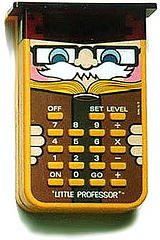
More and more often it seems that Twitter is becoming my de facto “source of all good bits“. Having all but abandoned my bloated RSS reader a few months ago, I find now that Twitter is filling that desire to keep up with what is going on in the world of libraries, technology and beyond.
I know that many still question the validity of Twitter and others have written it off as simply a place where people share what they had for breakfast. I, however, find it a place where I can get quick links to topics that interest me and keep me current. More than 90% of those I follow are librarians or techies and I purposely keep my following list to a limited number so that noise ratio is never too high for a quick scan to cherry pick the good stuff from the stream. When I have time, I join in on the conversation and that is fulfilling too.
This past weekend I spent quite a bit of time inside due taking care of a sick child. I decided to do a little experiment and make a list of all the really cool and/or educational bits that I encountered over the weekend from Twitter.
Here is a baker’s dozen list of the top links from Saturday and Sunday — provided with minimal commentary, in no particular order:
How I Find the Very Best of the Web : Very useful tips for keeping current, several of which I plan to put in to practice!
Twitter for Libraries : As someone who has given similar workshops and who also maintains the Twitter account for MPOW, I found this list to extremely valuable.
Why Teresa is so proud to be a Romance Writer : I am not a genre reader in general and romance fiction is not something that I have ever read at all. This thoughtful article brough a tear to my eye and made me appreciate the value of this often maligned genre. In fact, I think I might try reading a romance or two thanks to this article.
Who is Copying and Pasting Your CC Content? Discover More with Tynt’s Tracer Tool : The title says it all in this case.
Getting Boys to Read : I actually read about a dozen articles from this site over the weekend. This is a topic near and dear to my heart as my 5 year old son begins his reading journey. So far he is loving reading and doing well, I just want to make sure we stay on track and the articles on site will do just that.
Teen Podcast: Episode 7: I am loving the new video format of these podcasts from Justin the Librarian at Cape May County Library. The three questions format works well too and the 5 minute length is perfect. Well done!
Want! The Orb, a bluetooth headset that turns into a ring : I love gadgets and jewelry. Nuff said.
The 50 Greatest Gadgets of the Past 50 Years: Interesting reading for the gadget lover — and brought back lots of nostaglic memories of gadgets gone by.
Talking Points on Library Use : This was not something new to me having used it in the past, but it did remind of several good statistics that can be used when talking about the importance of public libraries (especially crucial at this juncture for many libraries and many states).
100 Things Your Kids May Never Know About : The world of technology continues to change at a rapid pace and this article from Wired drives that point home. I really do believe that it will not be long until most children will not even know how to use a road map or atlas and/or use a print encyclopedia given the current usage that these two items get in our reference collection.
Giving up my iPod for a Walkman : A teen boy experiments with using a first generation Walkman. I had a device just like the one he is pictured carrying (which means I am revealing just how old I really am…yikes).
Screenjelly : I have experimented with ScreenToaster as a free online service for screencasting, now it looks like the toast will be getting competition from some jelly. I plan to test this out soon.
Amazon, Zappos and Libraries : In this brief blog post the point is eloquently made that for libraries … ” the future isn’t in content, really…it’s in service.” I could not agree more.
Basically, this is just a random sampling of what types of things I discover and learn on Twitter on any given day. I would love it if others shared a “good bit” or even two that they discovered recently thanks to Twitter (or FriendFeed or Facebook or any other social networking site).
I would like to thank those that I follow for providing me with such good links and food for thought on a daily basis. My learning is enriched every day by my “tweeps” — feel free to give a shout-out in the comments and lay claim to the link from your orginal tweet if I posted it above.
![Reblog this post [with Zemanta]](https://i0.wp.com/img.zemanta.com/reblog_e.png)


 Library Garden
