Book Fairs and Bookmobiles inspire the reading spirit
by April Bunn
The tables are cleared, the mini-cash registers are closed and balanced, and the wheelable bookcases are packed and closed. The library looks a bit empty after our PTO’s Scholastic Book Fair closed last week.

Don’t get me wrong, I am always relieved to get my circulation desk (also my personal desk) back and unpack when they leave. It is a challenge to move out of the place and teach my lessons on a cart, but overall Scholastic makes it pretty easy to “wow” the kids. They market with a theme, which this year was Destination Book Fair- reading around the world.
You should see it- the students arrive with books circled in the flyer, chomping at the bit to get in the library and spend every cent of the money they’ve brought in envelopes and Ziploc baggies. It’s priceless to see the excitement in their eyes when they walk into the wonderland that the PTO members create with these book fairs twice a year.

Library transformed
Despite the economic conditions, the sales were good. Of course, we quickly sold out of Jeff Kinney’s latest hit, Diary of a Wimpy Kid: Dog Days. Also, it was great to have a parent purchase and donate the picture book, Dewey: There’s a cat in the Library! which I had on my wish list.
I didn’t have the experience of my library transforming into a Book Fair growing up- the bookmobile came to our school and impressed us. Can you remember visiting the bookmobile? Do you remember the buzz in the school when it arrived?
At my school, in suburban central New Jersey, we’d line up, a few students at a time,  and head into the bookmobile to spend our money on a brand new book (I don’t remember buying the erasers, silly pens and pointers, posters, and all the tchotchkes they widely sell now).
Bookmobiles are back in, apparantly, because in 2010, ALA is celebrating bookmobiles and their 100 years of service on National Bookmobile Day, Wednesday, April 14th, during National Library Week.

Bookmobiles are more commonly used by libraries now, to reach out into the community, but the idea is the same. Drive up, open the doors, and let the excited patrons, young and old, enter the magical kingdom of books.
As librarians, we are lucky to have daily experiences with the joy of connecting people to new books. I feel extra lucky working with children, because they give us such uninhibited delight when they find the “perfect” book. Walking into a special place focused on books, whether it be a library, book store, book fair or bookmobile can be all we need to inspire our reading spirit.
Happy Holidays to all of you for keeping that spirit alive.
by April Bunn
Holiday Work…

Happy Thanksgiving
I am working tonight–until 9:00pm.
When I mentioned the time we are closing to many friends, almost all were negative about us staying open so late. Fellow librarians were appalled. I will admit, it could be easy to look at this as a hardship. However, I don’t. I am happy I am working tonight.
The reality is this–there are many people in the library tonight. I know it will get slow as the night progresses, but even then, we will have people here. So far it has been a mix of regulars, visitors wanting to check e-mail, lots of phone calls for directions, phone numbers, and one caller asking for help finding a no-cook pie recipe (www.cooks.com has plenty of choices). .
People have been making copies of documents for safekeeping while they travel. Likewise, plenty of folks are grabbing that last-minute book for their trips. As always, the DVDs are flying off the shelves. My favorite person so far: the woman who is just trying to minimize the time she must spend with her in-laws. I feel her pain–we swapped stories and both laughed. I think I made a difference in her life, if only for a few minutes.
No one has been cranky (even when the copier was evil as it often is…). No one has been mean. In fact, the regulars are not even complaining about the ‘young kids who make noise’ as they normally do. Almost every person says have a nice holiday or something similar.
Right now, most people seem to be busy and rushed–they have places to go. As it gets later, I suspect it will be more people without places to go. This, more than any other reason, is why I am happy we are open and I am working tonight. I have the chance to make someone smile, laugh, or provide them with information they need.
I am thankful that I can be here if they need me. I am thankful that in these economically turbulent times, I have a job. So yes, I would much prefer to be home gearing up for tomorrow and getting ready to watch ‘Glee’, but I can not help but feel very happy tonight. Happy to help. Happy to serve. Happy to listen.
Lately I have questioned the wisdom of my decision to become a librarian. Tonight, I was given a very pleasant reminder that despite the difficulties, it was the right choice. I know many of you will work on Friday, Saturday and Sunday this week. It is hard to do, especially when the rest of the family is home doing something more interesting. To each of you–and all the people who work the holidays, thank-you very much.
Happy Thanksgiving!
Cynthia Lambert
Put Your Words in a Book!
YOUR WORDS IN A BOOK!
by Peter Bromberg (via: http://themwordblog.blogspot.com/2009/11/help-us-write-book-this-month-only.html)
http://www.flickr.com/photos/chadmiller/ / CC BY-SA 2.0
This is National November Write Your Own Book Month and the New Jersey State Library is taking the challenge to write a book with 50,000 words in one month. They need your help to both write and to spread the word to EVERYONE you know – friends, family, customers, co-workers, hairdressers, teachers, students. Everyone has the potential to write something that might positively impact the life of a stranger with this book!
The plan:
The NJ State Library will compile a book with the collective wisdom of people sharing advice with another human being. Words of wisdom for a child, friend, politician, parent, teenager, adult, parent … The catch is, you have to text your advice and it can only be 140 characters or less. The text messages will be collected until there are 50,000 words of wisdom. The name of the book will be, H2H (Human to Human) wisdom in 140 characters- unless someone texts us a better title! NJSL will even publish it online so you can share it with your friends and families.
Three ways to submit your H2H words of wisdom:
- Text “H2H” to 51684, hit “space” and type your advice. Standard message charges apply. You’ll receive a message to let you know your submission has been accepted. NJSL will keep you updated about the book but we won’t send more than 1 message per week and you can stop the messages anytime you want by replying “Stop”.
- Tweet to: @h2hbook
- Write online: Follow this link
Your initials or first name will be attributed to your quote if you include them. All entries must be submitted no later than November 30.
Guidelines:
- No profanity
- No personal references
While we would love to use all quotes that are submitted, we will be editing the final product and reserve the right to reject submissions.
Questions?
Send to Nancy Dowd: ndowd[at]njstatelib.org.
————————————————————————–
BTW, here’s my submission: “People are people. Everyone. Everywhere. Always. Remember this idea. Share it, spread it, grow it. In this way the world will be saved.”
Library Garden Post by Peter Bromberg
The Wonderful World of Interlibrary Loan
One of the most exhilarating things about writing and publishing a book is putting your name into Amazon and seeing the page with your book on it come up on the screen. When I started working as a librarian in 2003, I would have laughed if someone had told me that I would write a book on interlibrary loan. But in 2007 I wrote a short article on running one-person interlibrary loan service for the Journal of Interlibrary Loan, Document Deliver & Electronic Reserve. Later that year, the publisher at Neal-Schuman contacted me. He was sure that I had more to say on the topic of small ILL departments.
I was less sure, but after a few months delay, I sent in a proposal and finally started on the manuscript in the fall of 2008. Right when I was starting my doctoral program. Writing the manuscript and completing my coursework took quite a bit a bit of juggling. I had to save the most laborious chapters (policy!) for the winter break.
Throughout the writing process I learned more than I ever thought I would know about copyright law, interlibrary loan management systems, user-initiated services, and the correct name of the giant library service in Dublin, OH (OCLC Online Computer Library Center, Inc.). I discovered that interlibrary loan has a long history and that ILL librarians were very excited about MIME, the Multipurpose Internet Mail Extension which allows attachments to be added to email. When I finally finished the manuscript, the book ended up covering a wide range of topics including how to establish a paperless ILL office, how to interpret the ILL code for a small department, and tips for writing a policy when you don’t have a committee to help you.
Even though the chapters on ILL policies were the most difficult to write, they also contain some of the most interesting material. I would argue that the suggestions for policy writing might have some utility in other service areas of the library. If you happen to work at a small library, just remember that other staff members might be more willing to pitch in if you volunteer to actually write the policy and they just have to read it and offer suggestions. As Sandra Nelson and June Garcia note in their book on writing policy in public libraries: “Committees do not write, individuals write.” This is excellent advice for all administrators to keep in mind.
In the end, it turned out that the publisher was right about me–I do have a lot to say about running a small interlibrary loan and document delivery service.
Emily Knox
5 great tools and techniques for developing presentations
Hi, everyone! One of my favorite librarians and open source advocates (Nicole Engard) just Tweet DMed me and asked if I ever shared officially the tools I mentioned in a discussion session on Presentation Tools and Techniques at Pres4Lib at Princeton Public Library. I replied no, with regrets. I figured if she’s wondering about it, maybe you are too!
By the way, if you like our articles, please share them on Twitter, Facebook, and anywhere else you like.
I use a pretty well structured, personally vetted workflow for developing presentations and blog posts that involves developing an outline, collecting images, preparing images, research and citations. Let me share some of the tools that I use to accomplish these tasks just about every time.

- Image via Wikipedia

Google Docs Presentations
I stopped using Microsoft PowerPoint a few years ago and have not looked back. While I would consider using the open source alternative of OpenOffice.org’s presentation tool, by instead choosing a presentation tool in the cloud, I get the ability to edit and present anywhere where I’m connected, the ability to edit offline with Google Gears installed on Firefox, the common ability to add images, draw pictures, embed my slideshows (!), allow people to automatically see the latest greatest embedded versions of my presentations up to the second after I’ve updated them, allow for collaboration and co-viewing and if I absolutely must, export to a PDF for offline sharing and presentation disaster backup. I can even make a PPT for someone who insists on it.
I typically log in to Google Docs, create a title slide for my topic, and then immediately develop an agenda slide, which I then begin to outline with the topics (and slides) that I want to cover in my talk. My style emphasizes simple broad topics which I elaborate on in spontaneous ways. I try to keep the number of words on slides to an absolute minimum. I usually make a slide for each of my topics, and I then try to look for stories, photos, and illustrations that lead the people in the audience to start thinking about my topics before I introduce them verbally or textually.

Image via CrunchBase
Creative Commons vetting via Google Image Search
Google Image Search is far and away the best image search tool I’ve come across (with the ability to search for line art, faces, and by color, etc.), especially now, since the recent addition of the license search feature in the advanced image search tool, which allows me to search according to Creative Commons licenses applied by designers and photographers to their images all over the web. This is especially important for me because I don’t just want to just use other peoples’ images in my work without their consent. I want to respect the wishes of image creators. By using the license restrictions, I can quickly find images available for commercial use, images allowed to be modified, images that simply require attribution, and even images in the public domain.
When we respect the rights of creators and innovators, and celebrate others’ work properly, I believe we engage in modeling important aspects of information literacy, if not common humanity.
I’ll search for a topic keyword, often choosing CC-attribution licensing, which allows me the greatest flexibility with which to use the images, to modify them, use them in commercial situations, and promote creative commons licensing, while simply being required to include attributive references to the original image author. I will very often name the file locally with the name of the author of the image, in the format “by username.jpg” or “from nameofwebsitedotcom.jpg” so that I have a built in back-reference.

- Image via CrunchBase
Picasa
Once I have the images I want to use in my presentation saved to my local hard drive in a project folder, I often need to tweak, categorize, combine, title, tag, and integrate the images. While I can do this in a myriad of different utilities, tools, and applications, none of them have quite the combination of speed, comprehensive toolset, ease of use, functions, smoothness, or slickness of Google’s Picasa. Once you have downloaded and installed this free tool, you can use a Google account to store images in free named online galleries and keep them synchronized for free. With the number and variety of images I work with in my design and presentation work, I am thrilled that I have Picasa to help me wrangle them all.
I use it to tag, group, move, geocode, describe, upload, tweak, collage, print, and watermark my images for presentations, design work, papers, and everything else. It is a free, versatile, and irreplaceable tool in my personal tool set.

Image via Wikipedia
Zotero
Zotero is a Firefox extension that allows for the single click based collection, categorization, tagging, editing, and even full text storage of web based database entries, books, articles, presentations, images and other standard citable sources. The amazing thing it that it automatically recognizes and collects metadata when it is present in a form that Zotero understands. This might sound like a difficult thing for content providers to implement, but all I had to do to make my WordPress blogs compliant was to install a single metadata-providing plugin (COinS) that offers my name, the title of posts, the publication date and other automatically generated metadata in blogging to Zotero users. Other sources who provide the relevant metadata to Zotero include major scholarly databases like Ebsco, newspapers like the New York Times, online booksellers like Amazon, and blogs and wikis around the world.
If I haven’t hooked you in to using Zotero yet, did I mention that with two clicks, you get properly formatted bibliographies in APA, MLA, and other citation styles? After I’ve visited books on Amazon and collected their data, or after I’ve found articles on Google Scholar and collected their data, or after I’ve grabbed creative commons licensed images from Flickr and collected their data, I can simply select all of them in my Zotero database, right click, and choose “Make bibliography from selected sources” which I then choose to send to clipboard, then paste right into my final slide, reference area of my paper, or wherever else I need to respect copyright or usage license. It is also a phenomenal way to meet the requirements of CC Attribution.
QuoteURLText
Number 5, QuoteURLtext (https://addons.mozilla.org/en-US/firefox/addon/4292) is another Firefox Extension that does one thing, but does it exceptionally well. It copies the highlighted text on a page along with the date and time, URL, and page title to the clipboard so that you can easily paste some casual piece of information (such as a tasty tech tip, a quick statistic, a delicious quotation, or a little known fact) into a slide, paper, or post without having to go so far as to reference it in APA style. It’s like a casual little sister utility to the powerhouse that is Zotero.

- Image via CrunchBase
<Jeopardy Daily Double Music> Bonus Tool: Zemanta: </Jeopardy Daily Double Music>
Finally, Zemanta (a play on semantic) is another Firefox extension that shows up in a sidebar when you are using supporting applications, such as Gmail, Blogger, WordPress, and other applications (check out their site for more). I desperately wish it worked with Google Docs Presentations, but nothing hints at that yet. Here’s why I care: All of the photos, captions, tags, post story articles, and even some of the links to referential sources were all suggested, generated and placed with a single click each using Zemanta. As I type, Zemanta autoscans sources with CC licensed imagery, content, and resources related semantically to my content. Let me reiterate: As I type. All I need to do to add it to my post is simply to click. Clickety-clickety.
A pleasure to speak with you as always, I hope you learn to love these great free tools for developing your presentations just as much as I do.
John LeMasney
Related articles by Zemanta
- A Simple Way to Specify Image Licenses (thaibrother.com)
- Back to School: 10 Must-Have Firefox Extensions for Students (mashable.com)
- 10 Browser Based Research Tools (imakethingswork.com)
![Reblog this post [with Zemanta]](https://i0.wp.com/img.zemanta.com/reblog_c.png)
“Are You Crazy?” aka “A Library’s Journey into the Teen All Night Lock-In”
This week, we’re pleased to have a guest post from two wonderful librarians:
- Justin Hoenke is the Teen Librarian for the Cape May County Library.
- Melissa Brisbin is the Media Librarian for the Cape May County Library.
Thanks for sharing this with LG readers! -PB
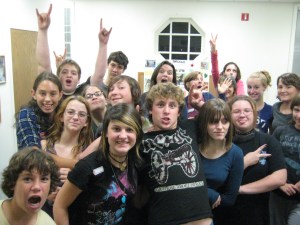
Justin: I’ll start off by saying this. It’s been two weeks since our Teen Library Lock-In ended and I’m not sure if I’ve recovered yet. My brain is still a bit fuzzy and I still don’t think I’ve caught up on sleep. If I tend to ramble or get lost when I’m talking, we’ll just blame it on that. You got my back Melissa?
Melissa: I’ll watch your back if you watch mine. I’m still sort of in a sleep-induced coma.
The Initial Idea
Justin: My Teen Advisory Board kept on talking about how they wanted to spend the night in the library. I thought they were sort of crazy at first, but the longer I thought about it the more it seemed like a really great idea. And I had this feeling that the teens would freak out and love the program.
I did some research on how these types of events were structured. I must say that without the guidance of the teen librarians at both the Corvallis-Benton County Library and the Willingboro Public Library I wouldn’t have ever got our Library Lock-In off the ground. I borrowed bits and pieces from their lock-in programs and created an outline and a permission slip. With these two things in hand, I had something to give my directors.
Melissa: One of the biggest concerns we had when constructing the Cape May County Library Teen Lock-In was how to keep our participants entertained and out of trouble. We decided that the best way to go about this was to implement activities such as an Library Olympics and a scavenger hunt, combined with an ongoing marathon of Harry Potter movies, crafts, and computer access, as well as continuous usage of our video game systems, such as the Wii, Playstation 3, and Xbox.
Justin: The idea was to start the lock in right after our weekly game night ended. The games would already be set up and I thought gaming, especially Rock Band, would be a good community building game where the kids could get to know one another. After the scheduled events such as the library Olympics and the scavenger hunt, things got a bit looser. We had one room dedicated to a Harry Potter movie marathon, the video games still set up, one room for tabletop gaming, and crafts in the children’s room. We wanted to have some structure to the program but at the same time let teens be teens and have some random (and very supervised) fun.
Planning
Justin: Once I got the OK from my directors to have the lock-in, I knew that I had to assemble a REALLY good team of librarians and library associates to help run the event. I sort of felt like I was putting together “The A-Team” of Library Lock In staff members. I knew I had to have the right blend of people who the teens could identify with and not feel intimidated by. I ended up with 7 (counting myself) chaperones for the thirty teens that had signed up. That’s roughly 4 teens to every chaperone, which is something I thought was manageable.
Making it all work

Melissa: As an example of one of our planned activities, I will highlight the obstacle course, which like the scavenger hunt, was created to promote fun activities that would also reflect library usage. For instance in the obstacle course, all participants were told to carry a book on their head, paperback of course, and then proceed to the next activity. Teens had to carry a book on their head, walk with the book while wearing box shoes, crab walk with a book on their stomach, jump down an aisle while still carrying the book and find works written by a variety of author(s), and finally dig though a box filled with scrap paper in order to locate a library card that had a Teen sticker on it. All participants worked in teams and were timed. For the winners, we planned an award ceremony that was similar to the Olympics, complete with medals for first, second, and third place.
The Focus
Justin: Call me a hippy, but I’m all about good and positive vibrations. I always wanted to make sure that both the chaperones and the teens all respected each other and created a positive community.
Melissa: We also wanted to stress to teens the importance of good behavior, and how exceptional actions would be acknowledged and rewarded. We implemented a Good Behavior Chart. Teens were awarded stickers that they could post next to their name in order to win an array of prizes at the end of the night. I have to admit at first we were not sure if this idea would work, or if teens would see the idea as somewhat immature and childish. However, like teens have a tendency of doing, at least for me, they proved to be an exceptional group of young adults. They really went above and beyond to help out the librarians and each other. There was definitely on ongoing competition among the teens, but it was never malicious. They were all super positive and a lot of fun to hang out with.
The Actual Event
Justin: I got into work the day of the event at 4:30 and made sure all the loose ends were tied up by the time we started at 7pm. The first few hours were a bit hectic in getting all the teens together and in one place. Once that was done, we started off on the scheduled events. Some teens didn’t want to join in, so that was a bit difficult in explaining to them that they had to be there and once these things were done they’d have a bit more freedom.
Melissa: Once we were finished with the scheduled events, the Teens were allowed to be in either one of three rooms. They were great about telling us where they were going and we didn’t experience any problems with them disappearing. Most of teens just meandered between games, movies, crafts, and lots and lots of conversations.
Justin: We asked the teens at the beginning of the program to always tell at least one chaperone where they were going. We told them that this was one of the most important things they could do throughout the night. They were amazing
The Aftermath

Justin: The alternate title for this section is “This is what we’ll do differently the next time around.”
We had one incident at the lock in that sounded the alarms. During a game of hide and seek/manhunt, two teens collided with each other. One had glasses on, so the other teen got quite a big gash on their head. It was big enough that stitches were needed. We had to call their parents at 1am and let them know what happened. They came to the library and we had to go to the Emergency Room. I accompanied the teen and the parent there, and 20 minutes later, the teen was all stitched up and ready to go. The parent let the teen come back to the library. I feel like I lucked out on this one. Incident reports had to be filled out and the overall mood of the lock-in really changed after that.
Melissa: Yes, everyone really mellowed out, such as a lot less horsing around, and became more interested in hanging out, talking to one another, and playing video games.
What We Have Learned and What the Teens Taught Us
Melissa: The overall of theme of the entire Lock-In was camaraderie. It was evident from the beginning that there was a relatively wide range of ages and maturity levels, as well as groups and interests. However, throughout the night, it became extremely evident that all the teens were just interested in hanging out with each other in an array of activities. The entire Teen Lock-In produced a fantastic sense of community atmosphere. In all, this event was A LOT OF FUN WITH A GREAT FLOW AND POSITIVE INTERACTION. It was a fantastic opportunity to librarians to get to the teens and vice versa. We have received a great response from teens, parents, and administration. We will definitely plan more Teen Lock-Ins for the future, using the knowledge and lessons we have learned from our initial experiences with this program.
Justin: I thought 30 teens would be manageable, but now that I think about it the next time around I’d limit it to 20, possibly 25 teens and maybe have it twice a year. I also may reconsider having any kind of hide and seek activities since we had a bit of a snafu this last time. But it worked so well and the teens loved it! Agh!
P.S. For those wondering where the title comes from…The most common response to “We’re having an all night sleepover at the library with 30 teens ages 12-18 was “ARE YOU CRAZY?”
P.P.S For more photos of the lock in, click here for our Flickr gallery
Business as Editor: A Talk on Twitter
I had the opportunity to go listen to Jack Dorsey, one of the creators of Twitter, talk the other night at The College of New Jersey. Janie Hermann found out about it and let me know it was happening, and we met up with Julie (Strange Librarian) there for the hour long talk. The talk was recorded by TCNJ and the video is posted here: http://www.tcnj.edu/~pa/video/twitter09/ .
I definitely recommend you take a look at the video and listen to Jack for yourself. Below are just a few of the things that stood out for me.
A soft-spoken guy, Jack talked about how he had the idea for what today is Twitter since he was 15. He said that when starting something the hardest thing to do is TO START, and I think we can all relate to that! He spoke about getting your ideas out of your head, onto paper and into discussions with others so you can find out if there really is something to the idea or not. If you don’t get the idea out of your head and start sharing and playing with it, then you’ll not only never know if that idea is anything, but it will be difficult to move on with the next thing, the next idea, that might be something!
This relates to the transparency and openness that Jack talked about a lot. Communication and fostering a community where ideas (and even mistakes and problems) are shared is really important to how Twitter has been able to grow and to become so successful. The best lesson he said he could offer is to start from a place of transparency and to be open to criticism and suggestions. Some of the best features of Twitter did NOT come from the company. The “@” replies feature, the retweet (RT), the hashtags, and even the concept of each update as a “tweet,” all came from the USERS! The awesomeness of Twitter today is all because they went out with an idea and said this is what we have. We’re not sure what it’s good for, but we think you’ll know! As a result, today Twitter is something they couldn’t have even imagined when they started it.
These days Twitter receives thousands of suggestions and ideas every day. As a company, their challenge is deciding which ideas to say no to, and then to actually say no to those things. Based on all of the input how do you decide? Jack said he realized that the business had to become a good editor. Company as editor.
As a business, Twitter has to choose what suggestions might add to the value and usefulness of Twitter. They would like to say yes to ideas that speak to 80% of the users and that sustain the technology and the company. They have to edit out those ideas and suggestions that will not improve Twitter. He also spoke about the business as editor when it comes to who works there – how do you choose who to hire and how do you decide when the relationship is no longer beneficial and it’s time to part ways? It’s all about editing.
He also said he isn’t interested in what market is using Twitter when a question came from the audience about how teens are (supposedly) not using Twitter. Jack said he wasn’t worried about what market uses Twitter, but about building a great product people love to use.
We also got a glimpse into what might be coming in the future when Jack talked about being really interested in immediacy and transparency and the health care and finance industries. He spoke about the fact that health and health care, especially one’s own health, is probably one of the most important things to and for us. However, most of us don’t understand what’s going on with health care. It is similar with global finance. This has a huge impact on all of our lives, but there are very few people who understand any of it. He said that health care and finance are two huge areas that he feels could really benefit from immediacy and transparency. I wonder what he has in mind!?
Check out some photos and more info here: https://www.tcnj.edu/~business/Twitter.html
You can also see the TCNJ press release for the event here: http://www.tcnj.edu/~pa/news/2009/dorsey.htm
Do take a look at the video – I would love to hear what you all think of his talk!
– Amy
Balancing technology in library service
There is no shortage of continuing education opportunities for librarians. I think we naturally tend toward collaboration and harmony. Earlier this week, while many librarians were in Monterey, CA for Internet Librarian, I attended NJLA’s first Adult Services Forum. On the same day, David Lee King and Michael Porter launched their new video and multimedia collaboration project, Library 101. All three of these focus on something that I have been pondering a lot lately: how, why and in what format we provide services (to all our patrons). Those thoughts cannot be separated from my concern over the division that is created by the acceptance of technology in library service.
Let me start by saying that I suffer from a serious case of technolust. I really love having new technology at my fingertips! But I also have a fair amount of restraint and often will wait to purchase something until (almost) all the kinks are worked out. However, I know that, just from my family and friends, most people are not yet comfortable with a wide range of technologies. As a librarian, I feel that it is important for the library to be a safe and comfortable place to expose people to web 2.0 (and beyond) and new ways of doing things.
John Porcaro (JP) said during his presentation at the Adult Services Forum that he finds librarians are often ahead of the curve compared with other departments and professions when it comes to new technology. This is not the stereotype that people have of libraries and librarians. Just do a Google search on “libraries are dead”: 79,000 results! Not all these websites actually support that idea but some clearly do. The common thread is that unless we do something about the PERCEPTION of libraries, they will die. And isn’t that what we are ultimately fighting against? Both internal and external stereotypes of what libraries and librarians were, are and are going to be.
The Library 101 project looks at what we are doing and what we need to think about doing to stay relevant. And I’m all for that! With a fun music video (with lots of familiar faces in it!), thoughtful essays, and 101 resources and things to know (RTK), Library 101 gathers together all the stuff libraries have been doing and are currently trying to do. The Library 101 project also reminded me that I’m not the only one who thinks that being a librarian can be fun and wants to share that with the world.
But I worry about what I read and hear from some of our other colleagues. For instance, I’ve heard librarians complaining about the formats available in their libraries, forget about the wonder that is InterLibrary Loan (it might seem outdated, but get that item into the patron’s hands and they don’t care where you got it from!). I’ve also read blog posts and tweet that generally disregard traditional library service. For all of the the librarians pushing away from long-established services, there are just as many complaining about the move towards Web 2.0 in libraries.
Yes, it is important for libraries and librarians to be on social networks, Twitter, producing webcasts, providing text and im reference, etc. But I think it is equally important to remember why we are doing all of these things. We are providing a new medium for things we have always done. We can connect people to these new technologies, give them new skill sets, and ultimately, strengthen the connection to our libraries.
And we can hope that, in so doing, we change the public’s perception of libraries and librarians. But we all need to be working together and not undermining the traditional work we still do, that is still overwhelmingly appreciated by the people we serve. There can be a balance to using new technology to promote, support and enhance traditional, as well as new, programming and resources.
by Karen Klapperstuck
Growin’ a Mo to raise awareness


How to solidify your visual brand and identity
Hello, friends.
My name is John LeMasney, and I love libraries. I’m the newest blogger on Library Garden, and I’m thrilled and honored to be here.

- Image by nancydowd via Flickr
I’m a technologist, father, open source advocate, artist and designer, and I’ve been known to wax poetic about beer from time to time. I’ve been told by Ed Corrado, one of my favorite librarians, that I should start looking at an MLS. I told him I’d maybe think about it after I finish my Master of Arts in Organizational Leadership later this year.
I was invited to join Library Garden despite the fact that I have no MLS, I think, because I have a regular beat in the New Jersey library consortia, have many good friends who do have their MLS (many of them co-bloggers here) and I also tend to spend a lot of time in libraries.
As the newest blogger for Library Garden, I wanted to give a kind of gift to my fellow bloggers in the form of a new header for the blog. Peter Bromberg’s original header was simple, elegant, and straightforward, but he asked me if I wanted to take a shot at making a new one. I have given workshops on design for Peter, and others here, so I figured that it would be a good way to show some of what I know about design, as well as present a thank you gift to the group.
My process for design usually follows the procedure I’m about to record here, and it is how we came to our new header you see in our blog. You can click on any of the images in this post to see a full sized version of the image. I encourage it for the alternative headers, since it’s difficult to see the detail in the thumbnail.
Using the open source illustration application named Inkscape, I show the name of the organization in a list of fonts for the stakeholders that I think speak to the feel of their brand. I usually present a list of at least 5-10, but it’s not a set number. In this case, I shared the following image, which went a little further than simply listing fonts and had progressed to forming word-form relationships, which is typically a secondary process. Since I had access to the original header, I included it for comparison. No kerning or other fine tuning is done at this stage:

Possibilities
I got the feedback pretty quickly that people preferred the second and fourth design. They liked the boldness of Library in #2 and the finesse and softness of #4. People were positive, respectful, and kind and that always makes for a better design project. They said they liked the font used for garden in the 4th option, and might like to see it paired with other fonts.
I wanted to respect Peter’s previous work, celebrate the brand that is Library Garden, and above all respect the opinions and feelings of the stakeholders. I hope that I did that, and I am very happy with the work that we did to come up with this solution together.
In order to clarify what I was hearing, I sent out a revised picture of three options in which the less popular options were removed and a new option was generated making use of what was learned in the first round. That looked like this:

Possibilities refined
This set brought the garden font into focus as a definite, while showing that the great Gill Sans, one of my favorite fonts and shown in the first two options, as well as in the final result, had the versatility to provide the boldness that people were looking for in the third option.
Once we had our wordmark it was time to begin developing a background for the header on the blog. I decided to emphasize the garden aspect of Library Garden, relying on luscious foliage, summery greens, and deep layering.
I wanted to try to evoke the depth of information and directions and ideas available at your library. I wanted to show people the complexity and richness of their options when they walk in and sit down and talk with a reference librarian, for instance. I also wanted to try to celebrate the work, history, and richness of my fellow bloggers on this site.
So, if you feel that the work I’m about to show you is kind of busy, keep in mind that complexity, richness, layering, and depth were my goals. I didn’t want you to look at the header so much as dive into it.
With that said, let’s look at how the first header option came about. Note that at this point, I didn’t intend any longer to edit the text based information, and so I converted the text to paths in Inkscape. This makes it easier to nudge and relate letterforms and other elements. I tweaked the wordmark we collectively chose by fixing the kerning (space between letterforms) and exported it as a PNG in the exact size of Peter’s original header.

Wordmark Final
I opened up the GNU Image Manipulation Program (GIMP) and imported the wordmark, and then I added 3 transparent layers, named close, middle, and distant, so that I could add my visual elements in a layered way so as to build depth. I also duplicated the wordmark layer so that I could create a blur based glow effect to make the workmark pop up from the busy backgrounds. I saved it as a native GIMP XCF file to preserve the layer work and named it header template.xcf. Then I saved it as header option 1.xcf and began working on the first header possibility. I started with the template each time so I wouldn’t have to start from scratch each time. Templates are great, but I encourage you to roll your own, rather than relying on someone else’s.

Header Option 1
In retrospect, Option 1 is seen as the most tame, minimalist, straightforward, and quiet. None of these are bad things. It was early, easy play with greens and foliage brushes, and was intended really just to get my ideas out of my head and onto the screen. I worked back and forth between the layers, adding blocks of color in the deep layer, and thinner, more crisp elements in the foreground. Most of my objects and shapes are available to me as brushes I used from online brush sites such as those I bookmarked here. I thought of the process as though I was building a garden landscape scene, starting first with broad deep dark strokes, then building on top of that with thinner, more careful, contrasting details. My palette for this option was deep grass green, grayish midnight fields, moonlit patches, and a bright orange for contrast. People thought it was okay, but they liked the second option much more. So much more in fact, it almost got the nod.

Header Option 2
This one brought in much more of a Chinese influence — It was very much like option 1 in that it was mostly greens and greys, but it allows the eye to focus on the bright beautiful sunny flower peeking out, and is balanced nicely with the red signature stamp, both of which are parts of free brush sets, as well as most of the tree and foliage shapes you see. I would say that this option was a favorite for many. As I finished each option, I’d send out an email to the group asking for guidance and feedback, and they didn’t disappoint.

Header Option 3
Options 3 and 4 were simultaneously my favorites and the group’s least favorites. They consistently ended up at the end of the list of one’s preferences. They are both quite busy, very technology imagery driven, go deeper into what I think is an modernist color theorist’s palette that’s I’d call sporty, and are energetic to the point of dizziness.

Header Option 4
I love them both, but they were obviously (now) not the best choice for representing this group. I think I like their painterly style, deep layering, and rich color, but they’re not especially garden-y.
Perhaps the most important thing in design is knowing how to listen to your stakeholders, and being receptive to the survey even when it forks with your own feelings. I’m glad I made these options in order to provide contrast, offer other options, expand expectations, and most of all, in order to go a little too far. It’s hard to know when something’s right unless you’ve seen it go wrong, or at least wrong in the eyes of your stakeholders.
After hearing feedback at each new option, I learned that these people wanted clarity, simplicity, legibility, some energy, some calm, garden-ness, lush vegetation, and that no matter what, these were all okay — they’d all do the job. That’s reassuring when your client says no matter what, they’ll be happy. With that, I tried to pull all of this together in a final option, which ended up being the one that took the prize.

Header Option 5 with Chinese character
The only concern was that no one, including me, knew what the block and character in the lower left translated to. As a result, I decided to remove and replace them instead of potentially upsetting someone with the interpretation of the character. I replaced it with a postmark from a set of very cool stamp related brushes, and soon after, the header was in place.

Header Option 5 with Postmark.
I want to take this opportunity to say thank you to my fellow bloggers for their patience in the process, for the opportunity to collaborate and create together, and for the opportunity to have another great place such as Library Garden to share ideas. I feel very welcome here, and I’m looking forward to my our next post.
Submitted by: John LeMasney.


 Library Garden
